 If you work in bookkeeping or accounting, you know the daily grind. You constantly manage journal entries, analyze reports, handle client communications, and chase down endless follow-ups. It often feels like you’re racing against the clock, with little time left for strategic thinking.
But what if a powerful tool could help you streamline these tasks, making your work faster and less stressful? This is where generative AI, like ChatGPT, steps in. It’s not here to replace your expertise; it’s designed to be your always-on personal assistant, providing instant support.
 Generative AI refers to advanced artificial intelligence models that can create new content, such as text, images, or even code. ChatGPT, a prominent example, excels at understanding and generating human-like text responses. For bookkeepers and accountants, this means a smart digital colleague ready to assist with a wide range of professional duties.
You can leverage generative AI for critical tasks like drafting journal entries, summarizing complex financial reports, crafting professional emails, and answering common client queries. Instead of manual processes, this technology empowers you to save time and work more efficiently. Think of it as having an intelligent teammate who understands accounting principles and is always available to help.
Streamlining Your Bookkeeping Tasks with Generative AI
1. Automating Journal Entries
Traditionally, creating journal entries demanded careful thought to identify correct debits and credits. With generative AI, you simply describe the transaction. For example, type, ‘Create a journal entry for $1,200 rent paid from the bank on May 1st,’ and it generates the precise entry in moments.
This applies to various transactions, including sales, expenses, and even complex payroll entries. Using generative AI helps you complete entries much faster, reducing the chance of errors and eliminating second-guessing.
2. A Beginner’s Guide to Generative AI for Payroll Processing
Payroll processing, while routine, often involves intricate calculations and numerous journal entries. Generative AI can significantly simplify this. You can prompt the AI to generate entries for salaries, deductions, taxes, and benefits, ensuring accuracy and compliance.
For instance, ask, ‘Generate journal entries for monthly payroll including gross wages of $50,000, $5,000 in employee tax withholdings, and $2,000 for employer contributions.’ The AI provides the correct debits and credits, making a complex task straightforward. This is a powerful application for any bookkeeper new to AI integration.
3. Clarifying Financial Reports for Clients
Many clients find financial reports confusing, preferring clear summaries over detailed figures. Instead of manually distilling information, you can feed a report into generative AI. Ask it to ‘summarize the key insights from this profit and loss statement’ or ‘explain the main drivers behind these revenue figures.’
The AI will provide a concise, easy-to-understand summary. This not only makes your job easier but also helps clients grasp their financial situation more clearly, boosting their confidence in your services.
4. Effortless Email Drafting
Writing professional emails, especially reminders or follow-ups, can be time-consuming. Generative AI helps you compose them in seconds. Simply prompt, ‘Draft a reminder email to a client about missing receipts’ or ‘Write a thank-you note for their prompt payment.’
You will receive a polished email draft instantly. Whether it’s a deadline reminder, a follow-up, or a thank-you, you always have the right words ready to go.
5. Rapid Client Question Answering
Clients frequently ask similar questions, such as ‘Why is my profit different from my bank balance?’ or ‘Do I need to keep every single receipt?’ Instead of crafting unique responses each time, generative AI can help you create short, clear answers.
You can even save these AI-generated responses as templates for future use. This saves you valuable time and allows you to respond quickly and professionally, enhancing client satisfaction.
6. Seamless Integration with Accounting Software
Generative AI complements popular accounting platforms like QuickBooks Online and Xero. It helps you interpret reports, explain specific transactions, or even summarize overall financial activity within these systems. You don’t need to be a tech guru; just ask your question, and the AI guides you.
Mastering Generative AI for Bookkeeping
To truly harness the power of generative AI, learn how to ask the right questions to get precise results. You can find step-by-step lessons on using AI for journal entries, emails, reports, and more. Access ready-to-use prompts, real-world examples, and beginner-friendly video tutorials to enhance your skills.
Become the Future-Ready Bookkeeper
Today, bookkeepers who embrace smart tools like generative AI stand out in the industry. They complete tasks faster, serve clients more effectively, and free up time for new opportunities. If you aim to advance your career, integrating AI into your workflow is a strategic move.
You will reduce stress, save countless hours, and deliver superior service. Embracing these technologies not only makes your work easier but also positions you as a forward-thinking professional.
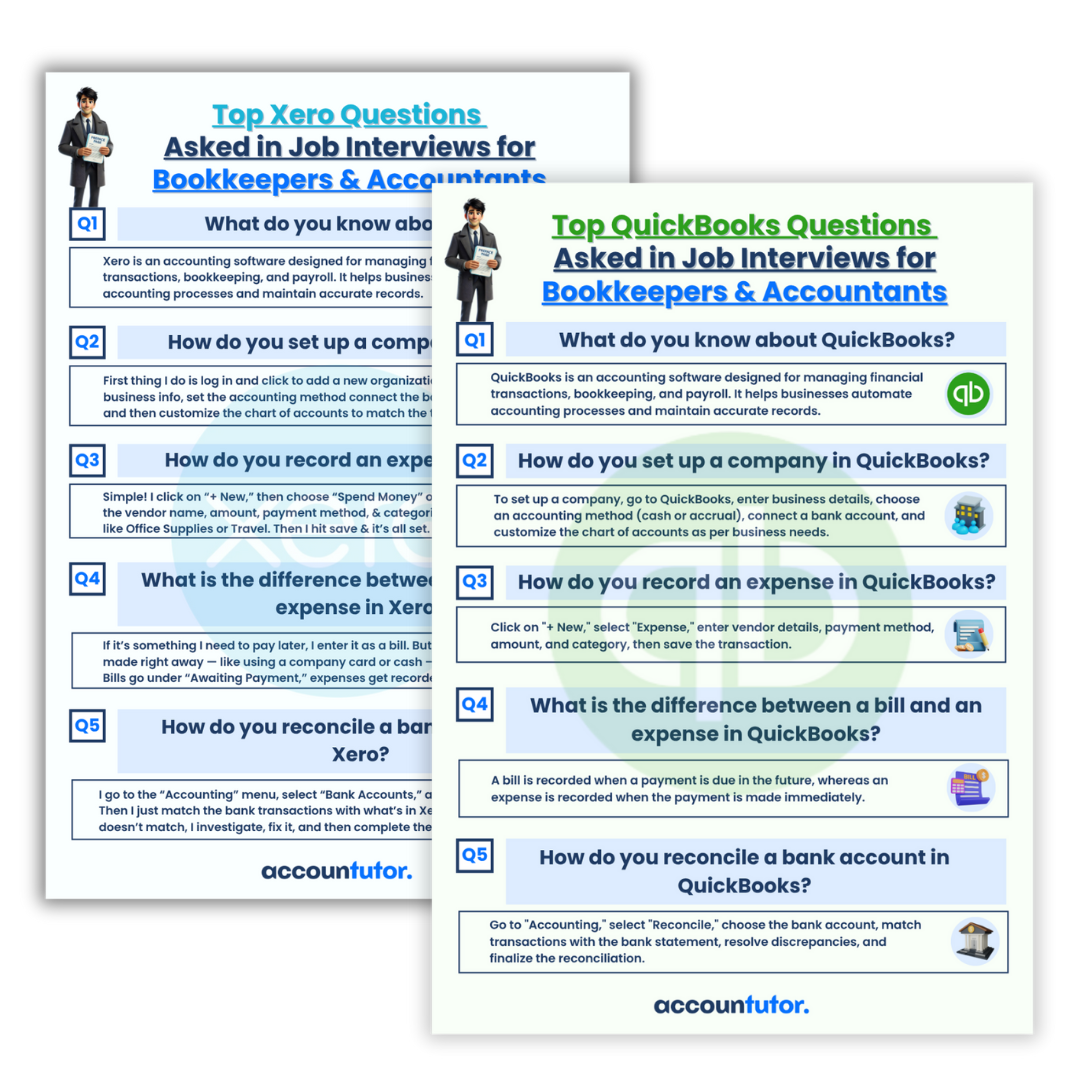 Expand your knowledge with practical resources like interview question guides for QuickBooks and Xero Accounting roles. These PDFs cover common tasks such as recording expenses, reconciling accounts, and setting up company files. They help you understand employer expectations and articulate your skills confidently.
 By learning how to use generative AI alongside your existing accounting software, you become an invaluable asset. This combination of traditional accounting expertise and modern AI proficiency sets you apart in a competitive job market.
FAQ: Generative AI for Bookkeeping
Q1: Will generative AI replace bookkeepers?
A1: No, generative AI serves as a powerful assistant, not a replacement. It automates repetitive tasks, allowing bookkeepers to focus on more complex analysis, client relationships, and strategic advice. It enhances human capabilities rather than substituting them.
Q2: Is generative AI difficult to learn for someone without tech experience?
A2: Not at all. Tools like ChatGPT are designed with user-friendly interfaces. You simply type your questions or requests in plain language, and the AI provides helpful responses. Many resources also offer beginner-friendly tutorials.
Q3: Can generative AI integrate with my existing accounting software like QuickBooks or Xero?
A3: While direct, deep integrations are evolving, generative AI can significantly assist you *when using* these platforms. It helps you understand reports, explain transactions, or summarize data from your software, acting as a valuable interpretive layer.
Q4: How does generative AI ensure accuracy in financial tasks?
A4: Generative AI relies on the quality of the prompts you provide and the data it was trained on. While it offers accurate suggestions for journal entries or summaries, a human bookkeeper always performs the final review and verification. It’s a tool for assistance, not autonomous decision-making in critical financial matters.
Q5: What are the main benefits of using generative AI in payroll processing?
A5: For payroll processing, generative AI helps generate accurate journal entries for wages, deductions, and taxes quickly. It reduces manual calculation errors and ensures consistency, making the complex task of payroll management more efficient and less prone to mistakes.
Keywords: generative AI, payroll processing, bookkeeping, accounting automation, ChatGPT, financial reports, journal entries, QuickBooks, Xero, AI for finance