Are you an accountant or bookkeeper feeling overwhelmed by daily tasks? From meticulous journal entries to crafting client reports and managing endless emails, the demands on your time can be immense. Imagine having a tireless assistant working 24/7, providing instant answers and streamlining your workload. This is precisely where generative AI, like ChatGPT, steps in. It’s not about replacing your expertise but empowering you to work smarter, not harder.

ChatGPT is a powerful AI tool that processes natural language and generates coherent, helpful responses. For bookkeepers and accountants, this means practical assistance with core tasks. Think of it as an intelligent teammate who understands accounting principles and is always ready to assist you in saving time and improving efficiency.
Revolutionize Your Bookkeeping with Generative AI
Integrating generative AI into your workflow can transform how you manage daily and monthly financial processes. It helps you focus on strategic insights rather than repetitive tasks. Let’s explore some key areas where ChatGPT can make a significant difference.
1. Simplify and Accelerate Journal Entries
Traditionally, creating journal entries requires careful consideration of debits and credits. With ChatGPT, you can simply describe a transaction, like ‘Create a journal entry for $1,200 rent paid on May 1st from the bank,’ and it will instantly provide the correct entry. This drastically reduces the time spent on routine transactions, whether for rent, sales, or payroll.
Utilizing this functionality is one of the best practices for generative AI for monthly close process, ensuring accuracy and speed. You can complete your entries faster and with greater confidence, eliminating second-guessing.
2. Clarify Financial Reports for Clients
Many clients find financial reports complex and difficult to understand, often preferring a concise overview. Instead of spending valuable time explaining every detail, you can paste the report into ChatGPT and ask for a summary of the main points. It quickly generates easy-to-digest explanations you can share.
This not only makes your job simpler but also helps clients grasp their financial situation more clearly. It builds their confidence in your services and frees you up for more analytical work.
3. Draft Professional Emails Effortlessly
Composing professional emails, especially follow-ups or reminders, can be time-consuming. ChatGPT can draft these communications in seconds. Just provide a prompt, such as ‘Write a reminder email for missing receipts,’ and it will generate a well-worded message for you.
Whether you need a thank-you note, a deadline reminder, or a general follow-up, you’ll always have the right words at your fingertips. This ensures prompt and professional client communication, enhancing your service quality.
4. Provide Rapid Answers to Client Queries
Clients often ask recurring questions, such as ‘Why is my profit different from my bank balance?’ or ‘Do I need to keep every receipt?’ Instead of crafting new responses each time, you can leverage ChatGPT to generate clear, concise answers.
You can even save these AI-generated responses as templates for future use, saving significant time. This allows you to respond quickly and consistently, maintaining a high level of client satisfaction.
5. Seamless Integration with Leading Accounting Software
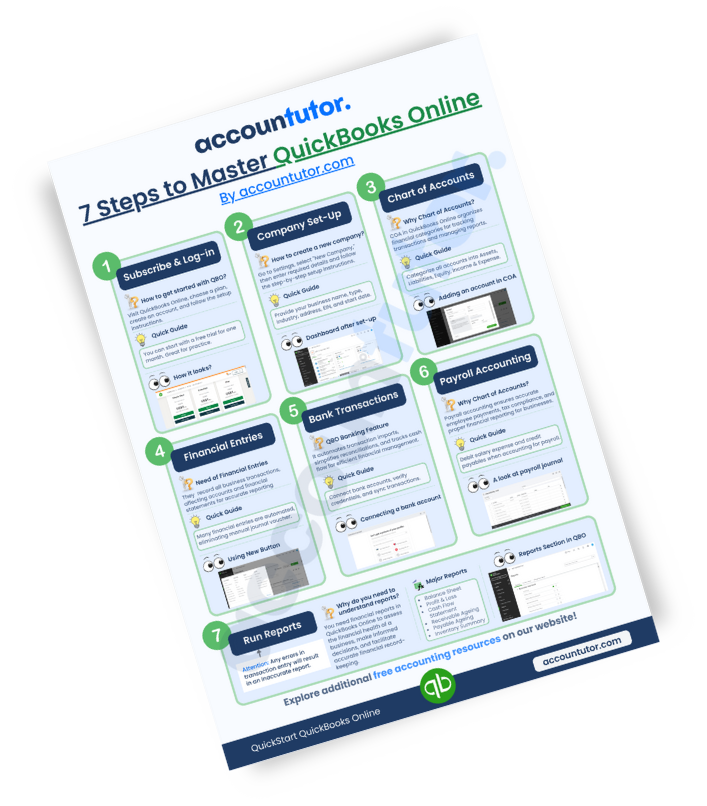
If you use popular platforms like QuickBooks Online or Xero, ChatGPT can act as an invaluable assistant. It can help you interpret reports, clarify transactions, and even summarize activities within your software. You don’t need to be a tech guru; simply ask your question, and ChatGPT will guide you.
This integration capability means you can enhance your efficiency without learning complex new systems. It truly streamlines your experience with existing accounting tools.
Embrace the Future of Bookkeeping
Today, bookkeepers who embrace smart tools like generative AI stand out in the industry. They complete tasks more efficiently, provide better client support, and create more opportunities for professional growth. Adopting these technologies is a strategic step forward for your career.
By leveraging AI, you’ll reduce stress, save countless hours, and deliver superior service to your clients. This ensures you remain competitive and highly sought after in the evolving financial landscape.
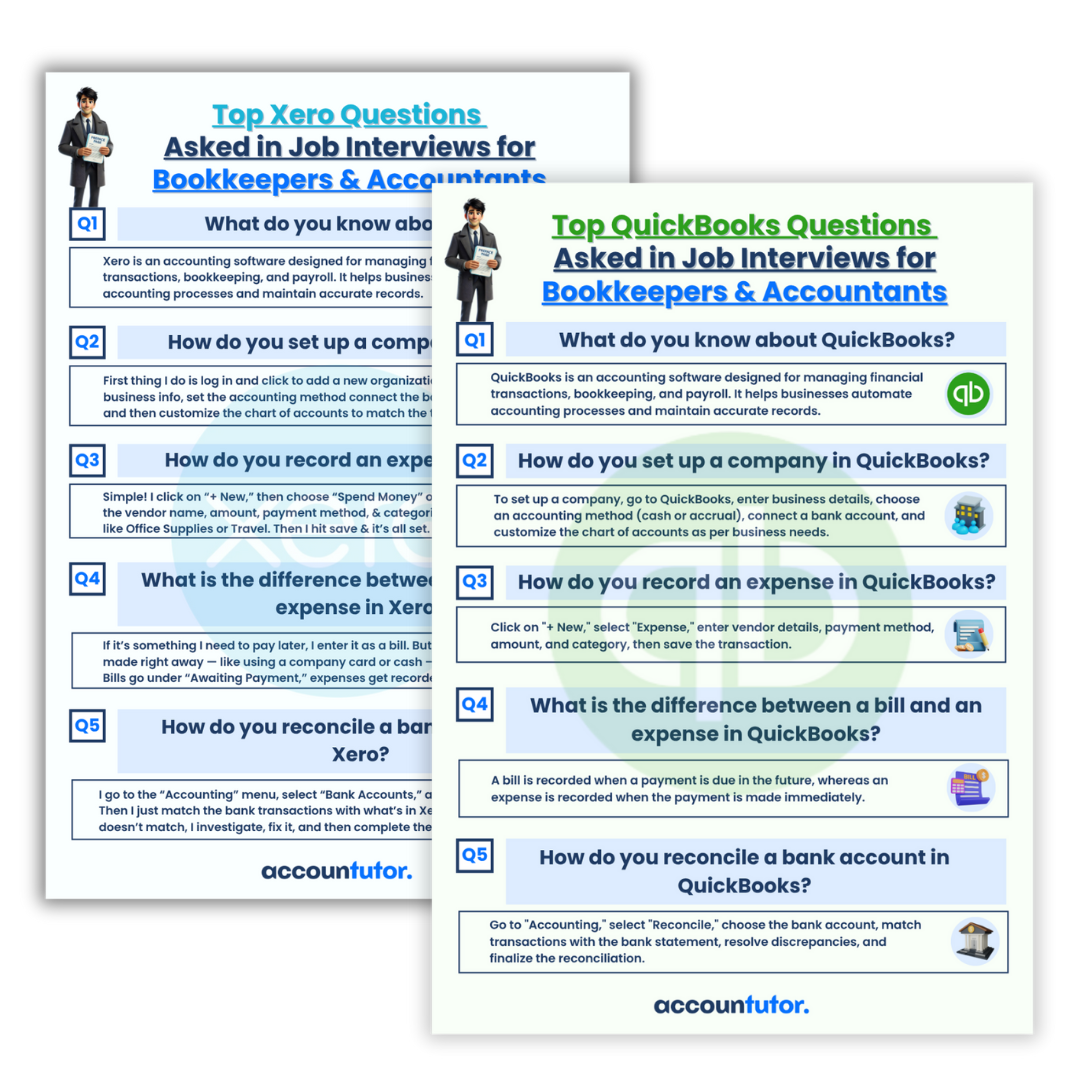
Frequently Asked Questions About AI in Bookkeeping
- Q: Can ChatGPT replace a human bookkeeper?
- A: No, ChatGPT is a tool designed to assist bookkeepers, not replace them. It automates repetitive tasks and provides quick information, allowing human professionals to focus on analysis, strategic advice, and complex problem-solving that require human judgment.
- Q: Is it safe to use ChatGPT with sensitive client data?
- A: When using any AI tool, it’s crucial to exercise caution with sensitive data. Avoid inputting confidential client information directly into public AI models. Instead, use it for generating templates, summarizing non-confidential reports, or understanding general accounting principles. Always prioritize data privacy and security protocols.
- Q: How can I ensure the AI-generated journal entries are accurate?
- A: While ChatGPT is highly capable, always review and verify any AI-generated journal entries before posting them. Treat its output as a strong suggestion that still requires your professional oversight. Cross-reference with source documents and your understanding of accounting rules.
- Q: What skills should bookkeepers develop to work effectively with AI?
- A: Bookkeepers should focus on developing strong analytical skills, critical thinking, and an understanding of accounting principles. Proficiency in crafting clear, precise prompts for AI tools (prompt engineering) will also be invaluable, along with a willingness to adapt to new technologies.

Keywords: generative AI, ChatGPT, bookkeeping, accounting, monthly close process, financial reports, journal entries, accounting software, QuickBooks, Xero