Bookkeepers and accountants often find themselves juggling numerous tasks. From meticulous journal entries to crafting client reports and managing follow-ups, the workday can feel like a relentless race against the clock. Imagine having a tireless assistant ready to provide instant support.
This is where an AI chatbot steps in, transforming how finance professionals approach their daily duties. It’s not about replacement; it’s about empowerment, helping you work smarter and more efficiently. 
Unlock Efficiency: AI Chatbots for Bookkeeping
An AI chatbot, like ChatGPT, represents an intelligent tool capable of understanding natural language and generating helpful responses. For bookkeepers and accountants, this translates into practical applications, from drafting journal entries to summarizing complex financial data.
Embracing AI tools allows you to streamline repetitive processes, saving valuable time and effort. Think of it as gaining a knowledgeable teammate who is always available and well-versed in accounting principles. 
1. Streamline Journal Entry Creation
Traditionally, creating journal entries demanded careful consideration of debits and credits for each transaction. An AI chatbot simplifies this significantly.
You can simply input a request, such as, ‘Create a journal entry for $1,200 rent paid on May 1st from the bank account,’ and receive the correct entry almost instantly. This capability accelerates the process for various transactions, eliminating guesswork and boosting accuracy.
2. Simplify Financial Report Explanations
Many clients struggle to interpret detailed financial reports, often preferring a clear, concise overview. Instead of spending extensive time explaining every line item, you can leverage an AI chatbot.
Paste your report into the AI and ask it to summarize key insights. The chatbot will generate an easy-to-understand summary, making client communication smoother and enhancing their confidence in your services.
3. Automate Professional Email Communications
Drafting professional emails, particularly reminders and follow-ups, can consume a considerable portion of your day. An AI chatbot can craft these messages in mere seconds.
For instance, type ‘Write a reminder email for missing receipts,’ and watch it generate a ready-to-send email. This feature ensures you always have professionally worded communications for thank-you notes, deadline reminders, or follow-ups.
4. Quickly Address Client Inquiries
Clients frequently ask similar questions, like ‘Why is my profit different from my bank balance?’ or ‘Do I need to keep every single receipt?’ Instead of formulating new answers repeatedly, use an AI chatbot.
It can generate concise, clear responses that you can save as templates. This approach not only saves time but also guarantees consistent, professional replies to common client queries.
5. Advanced Tips for AI Chatbot for Accounts Receivable
Beyond general bookkeeping, an AI chatbot offers advanced capabilities for managing accounts receivable. You can use it to draft specific follow-up emails for overdue invoices, tailoring the tone and urgency based on the client’s payment history.
Moreover, an AI chatbot can help analyze payment trends to identify potential late payers proactively. You can ask it to generate summaries of outstanding invoices by age or client, providing crucial insights for focused collection efforts.
6. Seamless Integration with Accounting Software
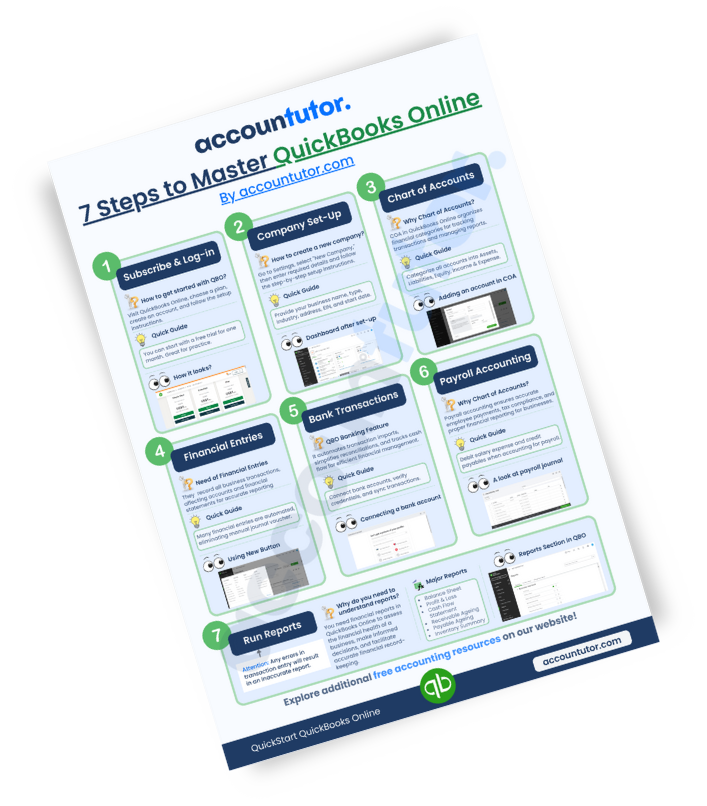
If you utilize popular platforms like QuickBooks Online or Xero, an AI chatbot becomes an invaluable asset. It assists in interpreting reports, clarifying complex transactions, or even summarizing your software’s current financial status.
You don’t need to be a tech guru; simply pose your questions, and the AI chatbot will guide you. It makes understanding and leveraging your accounting software more straightforward than ever.
Become an In-Demand Bookkeeper with AI
Today’s most successful bookkeepers embrace smart tools like AI chatbots. They complete tasks faster, serve clients more effectively, and free up time for new growth opportunities. Integrating AI into your workflow is a strategic move for career advancement.
This adoption helps you save time, reduce stress, and deliver superior service. Investing in AI literacy positions you as a forward-thinking professional in the accounting field. 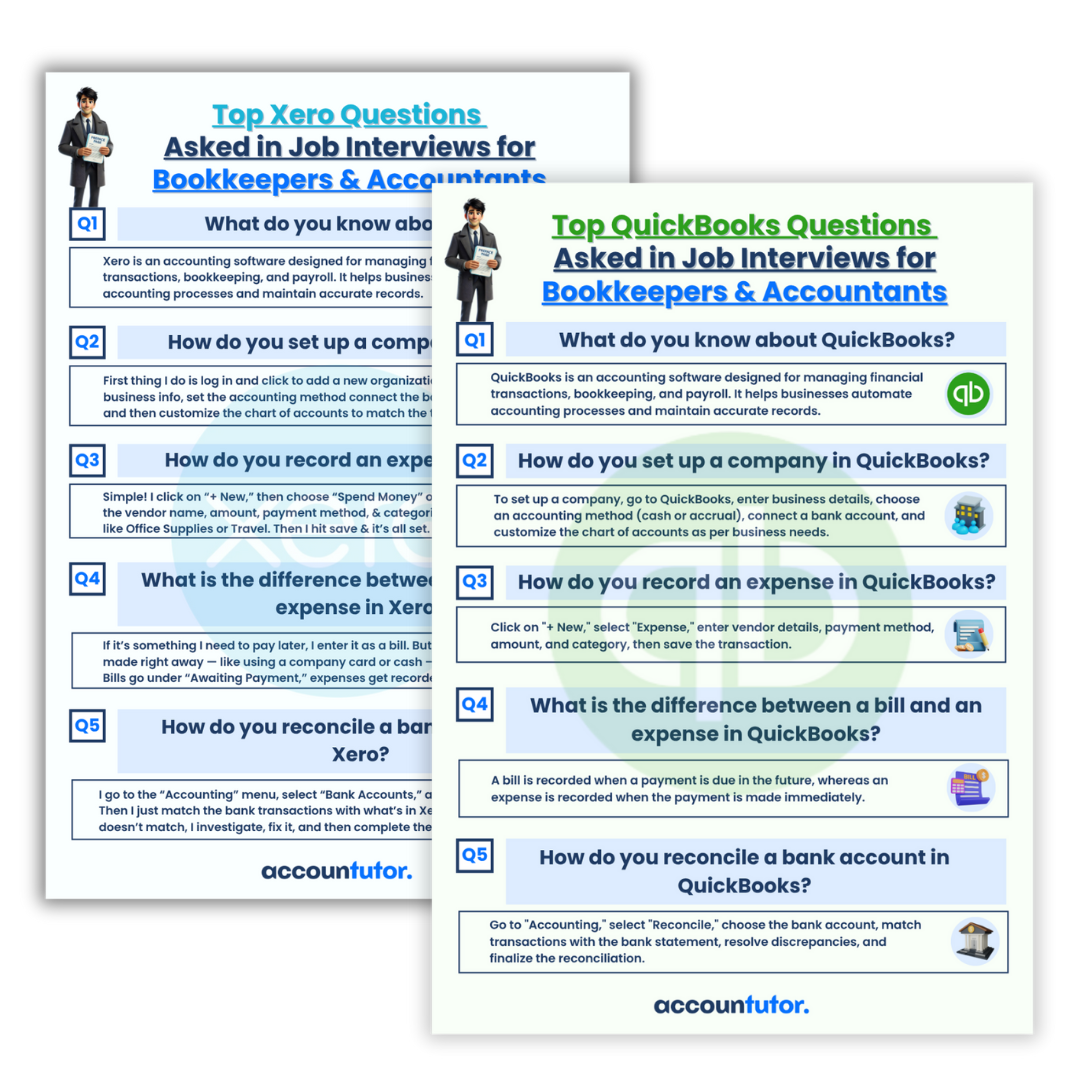
FAQs about AI Chatbots for Bookkeeping
Q1: Can an AI chatbot replace a human bookkeeper?
No, an AI chatbot acts as a powerful assistant, not a replacement. It automates repetitive tasks and provides quick information, allowing human bookkeepers to focus on more complex analysis, client relationships, and strategic decision-making.
Q2: Is it safe to input client financial data into an AI chatbot?
When using an AI chatbot for sensitive data, always prioritize privacy and security. Avoid inputting confidential client details directly into public AI models. Instead, use it for generating templates, summarizing anonymized data, or processing non-sensitive information.
Q3: How can I ensure the AI chatbot’s responses are accurate for accounting tasks?
Always verify the information provided by an AI chatbot, especially for critical accounting entries or financial advice. Treat its output as a strong suggestion or draft, and apply your professional judgment and knowledge to confirm accuracy.
To enhance accuracy, use clear, specific prompts and provide sufficient context. Learning how to ‘prompt engineer’ effectively will significantly improve the quality of the AI’s output.
Q4: What’s the best way to get started with an AI chatbot for my bookkeeping?
Begin by using an AI chatbot for simple, non-critical tasks like drafting emails or summarizing general concepts. Explore available online courses or tutorials designed for bookkeepers and accountants to learn effective prompting and integration strategies. Consider specialized training platforms like Accountutor for guided learning.
Keywords: AI chatbot, accounts receivable, bookkeeping, accounting automation, ChatGPT, financial reports, journal entries, email automation, QuickBooks, Xero