Are you a bookkeeper or accountant juggling countless tasks every day? From meticulous journal entries to client communications and report explanations, the demands on your time can feel overwhelming. Imagine having a tireless assistant working alongside you, ready to provide quick, accurate answers whenever you need them. That’s precisely where ChatGPT steps in – not to replace your expertise, but to significantly enhance your efficiency and lighten your workload.

What is ChatGPT and Why Bookkeepers Need It
ChatGPT is an advanced artificial intelligence tool capable of understanding natural language and generating intelligent, helpful responses. For bookkeepers and accountants, this means a powerful ally for everyday professional tasks. It streamlines everything from creating journal entries to summarizing financial reports and crafting client emails, transforming how you approach your daily responsibilities.
Think of ChatGPT as your smart accounting teammate, always available to assist. It allows you to move away from manual, time-consuming processes, freeing you to focus on more strategic aspects of your work. This intelligent assistant enhances your productivity and improves service delivery to your clients.
1. Simplifying Journal Entries
Gone are the days of laboring over debit and credit decisions for every single transaction. With ChatGPT, you simply describe the event, and it instantly generates the correct journal entry. For instance, a prompt like, “Create a journal entry for May 1st rent payment of $1,200 from the bank account,” yields accurate results in seconds.
This capability accelerates your entry process for rent, sales, payroll, or any other transaction type. It eliminates guesswork and significantly boosts your confidence and speed. This means fewer errors and more time for other critical tasks.
2. Explaining Complex Reports to Clients
Many clients find financial reports baffling, often preferring clear, concise summaries over detailed figures. Instead of painstakingly explaining every line item, you can leverage ChatGPT. Simply paste the report data and ask the AI to distill the key takeaways.
It provides a straightforward summary that’s easy for clients to understand and digest. This not only simplifies your communication but also builds client confidence in your ability to present complex information clearly. You save time, and your clients gain better insights.
3. Crafting Professional Emails Effortlessly
Writing professional emails, especially reminders or follow-ups, can consume a surprising amount of time. ChatGPT can compose these messages for you in mere moments. A prompt such as, “Write a reminder email for outstanding receipts,” will generate a polished draft instantly.
Whether you need a thank-you note, a deadline reminder, or a follow-up on a query, ChatGPT ensures you always have the right words. This feature saves valuable time and ensures consistent, professional communication with all your stakeholders.
4. Answering Client Questions Swiftly
Clients frequently ask similar questions, like “Why is my profit different from my bank balance?” or “Do I really need to keep every receipt?” Instead of formulating new responses each time, use ChatGPT to generate clear, concise answers.
You can even save these AI-generated responses as templates for future use. This strategy allows you to respond quickly and professionally, enhancing client satisfaction and freeing up your time for more complex inquiries.
5. Enhancing Bank Reconciliation with AI
One of the most tedious yet critical accounting tasks is bank reconciliation. While ChatGPT excels at many tasks, integrating advanced tips for large language models for bank reconciliation can truly revolutionize this process. You can use prompts to identify unusual transactions, flag discrepancies between statements and your books, and even suggest corrective entries.
For instance, ask ChatGPT to compare transaction lists from your bank statement with your internal records and highlight unmatched items. This takes your reconciliation from manual review to intelligent anomaly detection, significantly reducing effort and error. With specific prompts, you can even request explanations for variances, making the reconciliation process faster and more accurate.
6. Seamless Integration with Accounting Software
ChatGPT proves exceptionally useful when paired with popular accounting software like QuickBooks Online and Xero. It helps you interpret reports, explain specific transactions, and summarize financial activities directly from your software data. You don’t need to be a tech guru; simply ask your question, and ChatGPT guides you.
This integration extends the capabilities of your existing tools, providing deeper insights and automating explanations. It transforms raw data into understandable information, making your accounting software even more powerful. 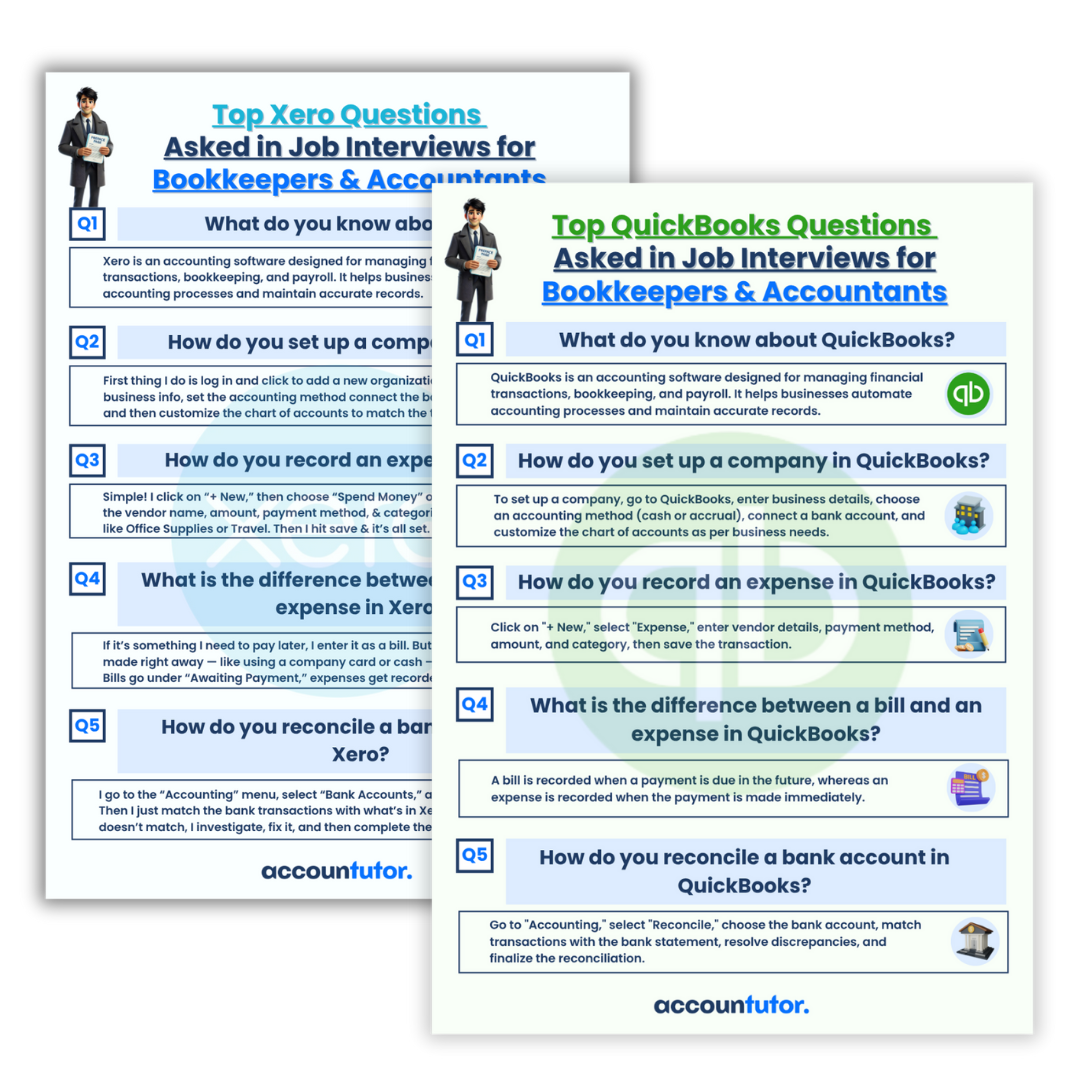
Elevate Your Bookkeeping Career with AI
Today’s most sought-after bookkeepers embrace smart tools like ChatGPT. They complete tasks more rapidly, serve clients more effectively, and discover new growth opportunities. Incorporating AI into your workflow is a strategic move to advance your career.
Embrace these intelligent assistants to save time, reduce work-related stress, and deliver superior service. This forward-thinking approach positions you as a modern, efficient, and highly valuable professional in the accounting world. 
Frequently Asked Questions (FAQ)
Q1: Can ChatGPT replace a human bookkeeper?
No, ChatGPT is a tool designed to assist bookkeepers, not replace them. It automates repetitive tasks and provides quick information, allowing human professionals to focus on analysis, client relationships, and complex decision-making.
Q2: How accurate are ChatGPT’s financial suggestions?
ChatGPT is highly accurate when provided with clear and specific prompts. However, always review its output, especially for critical financial entries or client communications, to ensure it aligns with professional standards and specific client needs.
Q3: Is it safe to input sensitive financial data into ChatGPT?
When using any AI tool, exercise caution with sensitive client data. Avoid inputting personally identifiable information or highly confidential financial details directly. Instead, generalize data or use placeholder values where possible, and always adhere to data privacy regulations.
Q4: What types of prompts work best for accounting tasks?
Effective prompts are specific and detailed. For example, instead of ‘help with journal entry,’ try ‘create a journal entry for the payment of utility bill $350 cash on October 15th.’ Include dates, amounts, accounts, and transaction types for the best results.
Q5: Can ChatGPT help with complex tax questions?
ChatGPT can provide general information and explanations related to tax concepts. However, it cannot offer professional tax advice or prepare tax returns. Always consult a qualified tax professional for specific tax situations and compliance.
Keywords: ChatGPT for bookkeeping, AI in accounting, bookkeeper productivity, journal entry automation, financial report summary, client communication AI, bank reconciliation AI, QuickBooks with ChatGPT, Xero with ChatGPT, LLM for finance