
Supercharge Your Bookkeeping: Leveraging Generative AI and a Budgeting Checklist
Are you an accountant or bookkeeper constantly juggling a mountain of tasks? From meticulous journal entries to client follow-ups and report explanations, the daily grind can feel overwhelming. Imagine having a tireless assistant ready to help you streamline your workflow and boost efficiency. That’s precisely where ChatGPT, a powerful generative AI tool, steps in.
It’s important to understand that AI isn’t here to replace human expertise. Instead, it acts as a smart, always-on partner, providing instant support and freeing you to focus on more strategic aspects of your financial role. Think of it as enhancing your capabilities, not diminishing them.
What is ChatGPT and Why Should Bookkeepers Pay Attention?
ChatGPT is an advanced artificial intelligence that comprehends natural language and generates coherent, helpful responses. For bookkeepers and accountants, this translates into practical assistance with everyday operations.
It can tackle tasks like crafting journal entries, drafting professional emails, summarizing complex reports, and even answering common client queries. By leveraging ChatGPT, you can dramatically cut down on manual effort and significantly improve your productivity. It’s like having an intelligent team member with deep accounting knowledge always at your disposal.
Streamlining Core Bookkeeping Tasks with AI
1. Simplify and Accelerate Journal Entries
Historically, creating journal entries required careful thought to identify the correct debits and credits. Now, with ChatGPT, you simply describe the transaction. For example, type, “Create a journal entry for $1,200 rent paid on May 1st from the bank,” and it instantly provides the accurate entry.
This capability extends to various transactions, including sales, payroll, and expenses, ensuring faster completion and reducing the chance of errors. You can confidently process entries without constant double-checking.
2. Make Financial Reports Understandable for Clients
Many clients find detailed financial reports confusing and overwhelming. Rather than spending valuable time breaking down every line item, you can use ChatGPT to simplify these documents. Just paste the report and ask the AI to summarize its key findings.
It will generate a concise, easy-to-understand summary that you can share directly with clients. This not only eases your workload but also enhances client confidence and comprehension of their financial standing.
3. Effortlessly Draft Professional Emails
Writing emails, especially repetitive ones like reminders or follow-ups, can consume a significant part of your day. ChatGPT can compose these messages in mere seconds. A simple prompt like, “Write a reminder email for missing receipts,” will yield a professional draft.
Whether you need to send a thank-you note, a deadline reminder, or a detailed follow-up, ChatGPT ensures you always have articulate and appropriate communication ready to go.
4. Provide Quick and Consistent Client Answers
Clients frequently ask similar questions, such as, “Why is my profit different from my bank balance?” or “Do I need to save every receipt?” Instead of formulating new answers each time, leverage ChatGPT to create clear, succinct responses.
You can even save these AI-generated answers as templates, allowing you to respond quickly and professionally to common inquiries. This significantly improves client service and saves you precious time.
5. Seamless Integration with Accounting Software
If you utilize popular accounting platforms like QuickBooks Online or Xero, ChatGPT acts as an excellent companion. It can help you interpret complex reports, clarify specific transactions, or even summarize overall financial activity within your software.
You don’t need advanced technical skills; simply ask your question, and ChatGPT will provide clear guidance. It bridges the gap between raw data and understandable insights, making your software usage even more effective.
Beyond Bookkeeping: A Checklist for Generative AI for Budgeting
While generative AI like ChatGPT excels at refining daily bookkeeping tasks, its potential extends significantly into broader financial planning and analysis. For organizations aiming to elevate their financial foresight and strategic decision-making, integrating generative AI for budgeting offers a transformative opportunity. To ensure a successful implementation and maximize the benefits, a thorough checklist for generative AI for budgeting is crucial.
This checklist should guide you through defining clear budgeting objectives, selecting the most suitable AI tools, and establishing robust processes for generating accurate and actionable financial projections. It helps you navigate the complexities of AI adoption, ensuring your budgeting initiatives are well-planned and effectively executed.
Becoming a Forward-Thinking Financial Professional
Today, financial professionals who embrace smart tools like ChatGPT truly stand out. They complete tasks more rapidly, serve clients more effectively, and free up time for new growth opportunities. Embracing AI is a strategic move for career advancement.
By integrating these technologies, you not only save time and reduce stress but also deliver a higher caliber of service. This positions you as an indispensable asset in the evolving financial landscape.
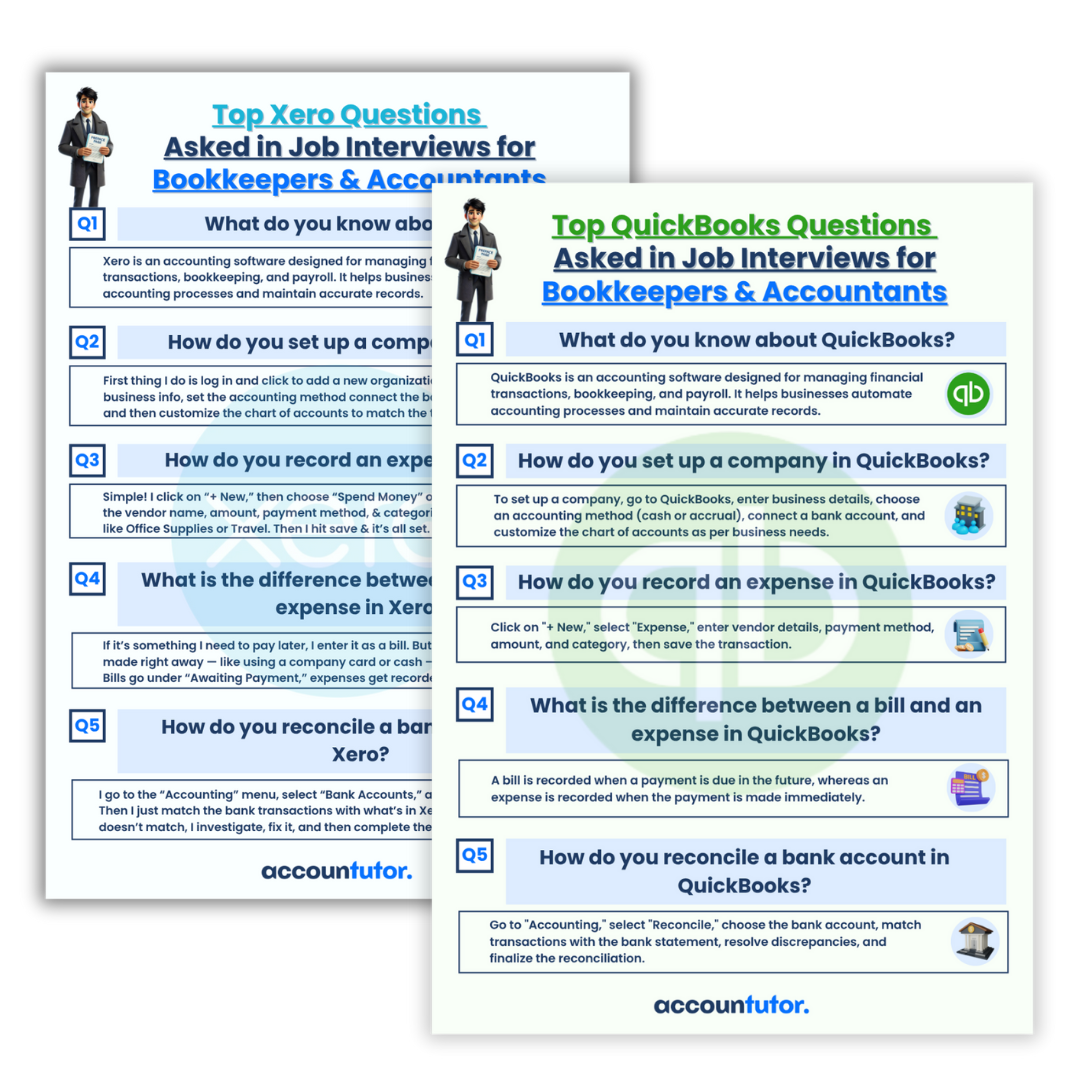
Accountutor provides specialized courses like ‘ChatGPT for Bookkeepers & Accountants’ to help you master these skills. They offer practical, step-by-step lessons, ready-to-use prompts, and real-world examples. Additionally, they provide resources such as QuickBooks and Xero interview questions to help you gain confidence in your professional capabilities.

Frequently Asked Questions About AI in Bookkeeping
Q1: Can ChatGPT completely replace a human bookkeeper?
Absolutely not. ChatGPT is a tool designed to assist and enhance a bookkeeper’s work, not to replace it. It automates repetitive tasks and provides quick information, allowing human bookkeepers to focus on analysis, client relationships, and complex problem-solving that require human judgment.
Q2: How secure is it to use ChatGPT with sensitive financial data?
When using any AI tool, always exercise caution with sensitive client data. Avoid inputting confidential information directly into public AI models. Instead, use AI to help draft templates, summarize generic reports, or understand concepts. For actual data processing, rely on secure, compliant accounting software.
Q3: Is ChatGPT difficult to learn for someone without tech expertise?
Not at all! ChatGPT is designed for natural language interaction, meaning you simply type your questions or commands as you would speak. Platforms like Accountutor offer beginner-friendly courses to guide you on how to formulate effective prompts and maximize the tool’s benefits without needing any technical background.
Q4: Can I use ChatGPT with my existing accounting software?
While ChatGPT doesn’t directly integrate into software like QuickBooks or Xero to automate data entry, it can work alongside them. You can use it to interpret reports generated from these systems, summarize transaction data, or get explanations for specific features within the software. It enhances your understanding and interaction with your current tools.
Q5: How can a checklist for generative AI for budgeting help my business?
A well-structured checklist ensures you approach AI integration for budgeting strategically. It helps you define clear goals, evaluate AI tool capabilities, address data security, plan for model training, and establish monitoring processes. This systematic approach leads to more accurate forecasts, efficient resource allocation, and better financial decision-making, minimizing potential pitfalls and maximizing ROI.
Keywords: ChatGPT for bookkeeping, AI in accounting, generative AI budgeting, financial planning AI, accounting automation, journal entry automation, client communication AI, QuickBooks AI, Xero AI, financial reporting AI