Are you a bookkeeper or accountant juggling countless tasks daily? From meticulous journal entries and comprehensive report explanations to client follow-ups and email management, your day often feels like a non-stop race. What if a powerful tool could help you streamline these responsibilities, allowing you to work more efficiently and with less stress?
Enter the world of AI assistants like ChatGPT. These innovative tools don’t aim to replace your expertise; instead, they serve as your dedicated, 24/7 personal assistant, ready to provide quick and accurate support whenever you need it.
What is an AI Assistant, and Why Should Bookkeepers Embrace It?
An AI assistant, such as ChatGPT, is an intelligent tool designed to understand and generate human-like text responses. For bookkeepers and accountants, this means practical assistance with a wide array of daily tasks. Imagine instantly creating journal entries, summarizing complex financial reports, drafting professional emails, and answering common client queries with unprecedented ease.
Leveraging an AI assistant transforms your workflow, allowing you to move beyond manual processes and embrace a smarter, more productive approach. It’s like having an expert teammate who is always available, well-versed in accounting principles, and eager to help you succeed. 
Streamlining Your Bookkeeping Tasks with AI
1. Simplify Journal Entries Instantly
Crafting accurate journal entries often requires careful thought about debits and credits. With an AI assistant, you can simply type a request like, ‘Create a journal entry for rent paid $1,200 on May 1st from the bank,’ and receive the correct entry within seconds. This capability applies to various transactions, including sales, payroll, and more, helping you complete entries faster and with greater confidence.
2. Clarify Financial Reports for Clients
Many clients find financial reports overwhelming and primarily seek clear, concise summaries. Instead of lengthy explanations, you can paste a report into your AI assistant and ask it to highlight the main points. It quickly generates an easy-to-understand summary, simplifying your communication and building client confidence.
3. Draft Professional Emails Effortlessly
Writing emails, especially reminders or follow-ups, can consume valuable time. An AI assistant can generate these messages in moments. For example, a simple prompt like, ‘Write a reminder email for missing receipts,’ produces a professional email ready to send. Whether it’s a thank-you note, a deadline reminder, or a follow-up, you’ll always have the right words at your fingertips.
4. Answer Client Questions Quickly and Consistently
Clients frequently ask similar questions, such as ‘Why is my profit different from my bank balance?’ or ‘Do I need to keep every receipt?’ An AI assistant helps you create clear, concise responses. You can even save these answers as templates for future use, ensuring prompt and professional communication every time.
5. How to Use AI Assistant for Bank Reconciliation
Bank reconciliation is a critical yet often time-consuming task. An AI assistant can significantly speed up this process. You can input transaction details or common reconciliation scenarios and ask for guidance. For instance, ‘Explain common discrepancies during bank reconciliation’ or ‘Suggest journal entries for a bank service charge of $25.’ While it won’t perform the reconciliation directly, it provides insights, identifies patterns, and helps you understand complex situations faster, making your reconciliation process smoother and more accurate.
6. Enhance Your Use of QuickBooks and Xero
If you use QuickBooks Online or Xero for bookkeeping, an AI assistant becomes an invaluable helper. It can assist you in interpreting reports, explaining specific transactions, or generating summaries of your financial data within these platforms. You don’t need advanced tech skills; simply ask your question, and the AI assistant will guide you through.
Become a Standout Bookkeeper with AI
Today’s most sought-after bookkeepers are those who embrace smart tools like AI assistants. They achieve tasks faster, provide superior client service, and discover more opportunities for growth. Integrating AI into your workflow is a smart move for career advancement, helping you save time, reduce stress, and deliver exceptional value. 
Platforms like Accountutor offer specialized courses to help you master AI tools for bookkeeping. Learn how to craft effective prompts, apply AI to journal entries, email drafting, and report generation, and integrate it seamlessly with software like QuickBooks and Xero. 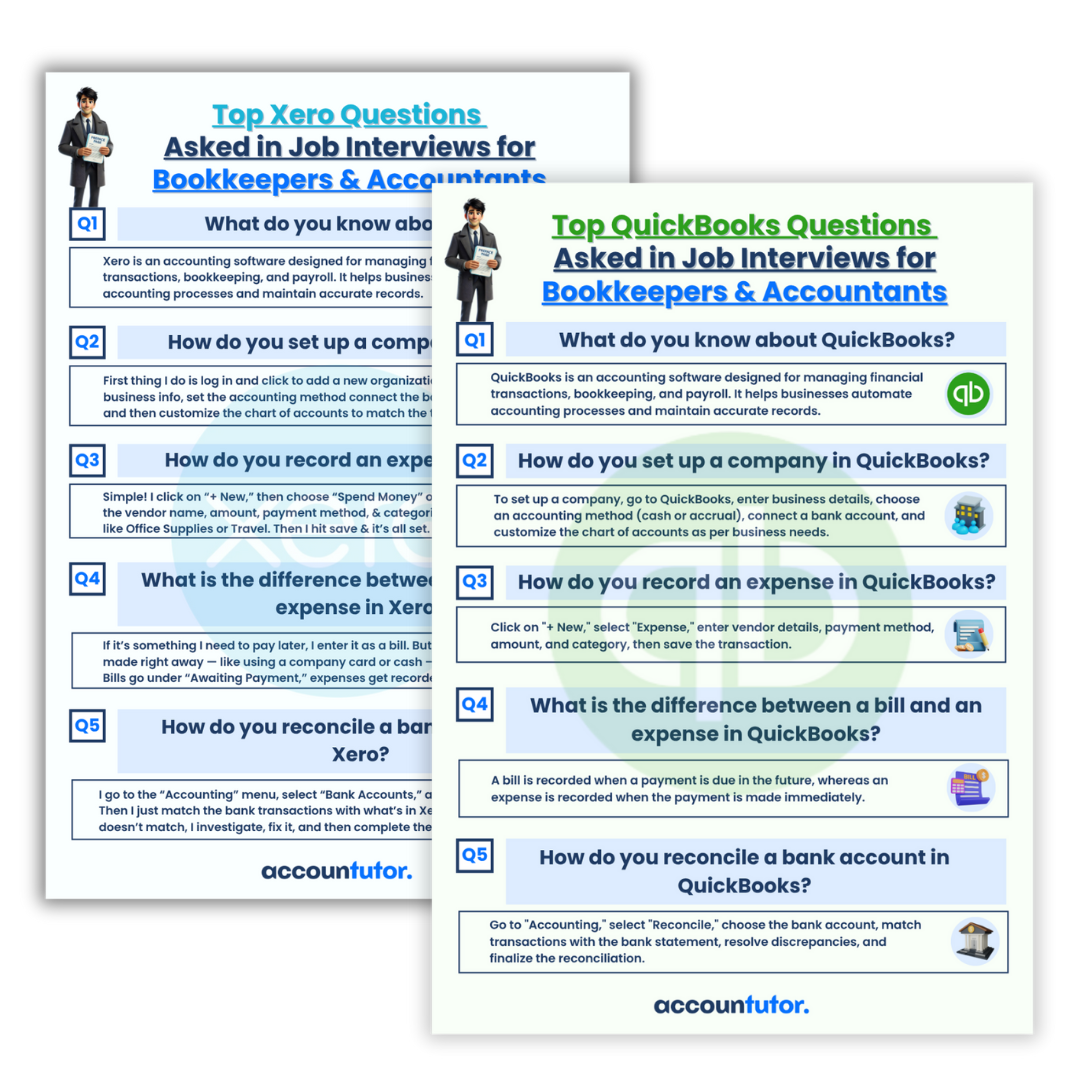
They also provide valuable resources, such as interview questions for QuickBooks and Xero, to help you gain confidence and excel in your profession. 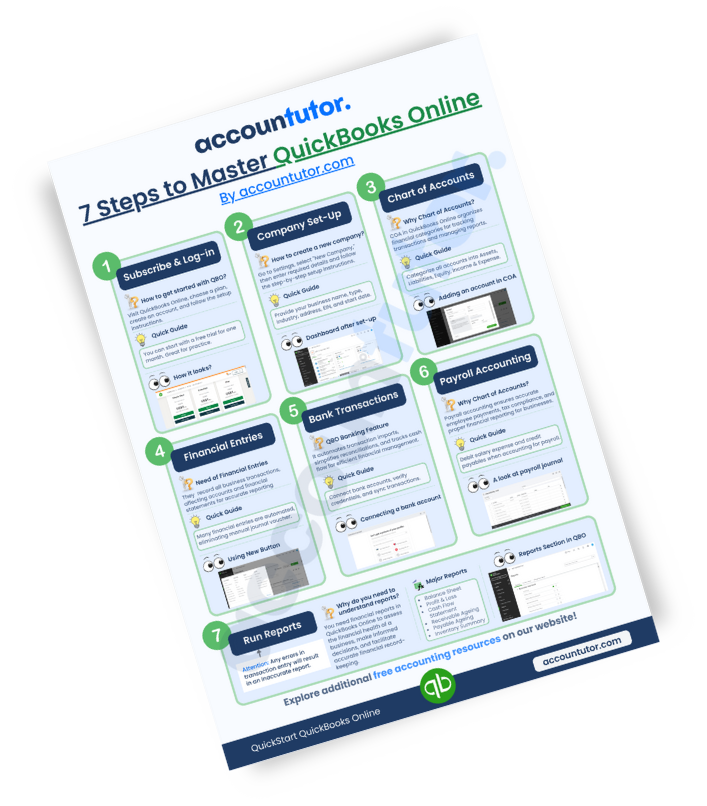
Frequently Asked Questions (FAQ)
Q1: Can an AI assistant fully replace a human bookkeeper?
No, an AI assistant is a tool designed to augment, not replace, human bookkeepers and accountants. It handles repetitive tasks and provides quick information, freeing up professionals to focus on analysis, strategic advice, and complex problem-solving that require human judgment.
Q2: Is my data safe when using an AI assistant for financial tasks?
When using any AI tool, especially with sensitive financial data, it’s crucial to understand its privacy policy and data handling practices. Always avoid inputting highly confidential client information directly unless the platform guarantees robust security and confidentiality protocols.
Q3: What specific prompts should I use for bank reconciliation with an AI assistant?
You can use prompts like, ‘Help me understand why my bank balance differs from my ledger balance,’ ‘What are common adjusting entries for bank reconciliation?’ or ‘Explain how to handle outstanding checks during reconciliation.’ These prompts guide the AI to provide relevant explanations and steps.
Q4: How can I learn to use AI assistants effectively for my bookkeeping work?
Many online platforms, like Accountutor.com, offer specialized courses on using AI assistants for bookkeeping and accounting. These courses provide practical lessons, ready-to-use prompts, and real-world examples to help you master the tool quickly.
Q5: Can AI assistants integrate directly with my accounting software?
While most AI assistants like ChatGPT don’t directly integrate with accounting software in real-time for automated data entry, they can process information you input from your software (like report excerpts) and provide analysis, summaries, or guidance. Future developments may bring more direct integrations.
Keywords: AI for bookkeeping, ChatGPT for accountants, bank reconciliation AI, accounting automation, financial AI tools, QuickBooks AI, Xero AI, bookkeeping tips, accounting efficiency, AI assistant benefits