In the fast-paced world of finance, bookkeepers and accountants often find themselves juggling numerous tasks. From meticulous journal entries to crafting client communications and deciphering complex reports, the workday can feel like a relentless sprint. What if you could enlist a dedicated assistant to streamline these essential duties, freeing up valuable time and reducing stress? This is where an AI copilot, like ChatGPT, steps in to revolutionize your workflow.
It’s not about replacing your expertise; it’s about empowering you with a round-the-clock intelligent partner ready to deliver quick, accurate responses whenever you need them. Think of it as your secret weapon for peak productivity. 
What is an AI Copilot and Why Do Bookkeepers Need One?
An AI copilot, such as ChatGPT, is an advanced artificial intelligence tool designed to understand and generate human-like text responses. For bookkeepers and accountants, this means practical assistance with real-world tasks. It can draft journal entries, compose professional emails, summarize lengthy financial reports, and even answer common client inquiries.
Instead of manually handling every detail, you can leverage an AI copilot to save significant time and work more efficiently. Imagine having a knowledgeable teammate with a deep understanding of accounting principles, always on standby to support your efforts. 
Streamlining Your Core Bookkeeping Responsibilities
1. Effortless Journal Entries
Historically, crafting journal entries demanded careful consideration of debits and credits. With an AI copilot, this process becomes remarkably simple and fast. You just provide a prompt, like, ‘Create a journal entry for $1,200 in rent paid on May 1st from the bank account,’ and the AI instantly generates the correct entry. Whether it’s for rent, sales, payroll, or other transactions, you can complete entries faster and with greater confidence.
2. Demystifying Financial Reports for Clients
Many clients find financial reports overwhelming and primarily want to grasp the bottom line. Instead of spending extensive time explaining every detail, you can paste the report into your AI copilot and request a summary of the key takeaways. It provides a clear, concise overview that’s easy to share, enhancing client understanding and confidence in your services.
3. Crafting Professional Communications Instantly
Email correspondence often consumes valuable time, especially when writing reminders or follow-ups. An AI copilot can draft these communications in mere seconds. Simply input a request such as, ‘Write a reminder email for missing receipts,’ and it will generate a professional message for you. From thank-you notes to deadline reminders, you’ll always have the right words at your fingertips.
4. Rapid Client Query Resolution
Clients frequently ask similar questions, like ‘Why is my profit different from my bank balance?’ or ‘Do I need to retain every receipt?’ Rather than composing new answers each time, you can use your AI copilot to generate succinct, clear responses. You can even save these as templates for quick, professional replies, saving you considerable time.
Step-by-step guide to AI copilot for accounts receivable
Managing accounts receivable (AR) is crucial for cash flow, and an AI copilot significantly enhances this process. Here’s how you can use it:
- Draft Overdue Invoice Reminders: Prompt the AI, ‘Write a polite follow-up email for an invoice (INV-001) that was due 7 days ago. Client is ABC Corp.’ The AI will generate a professional reminder, saving you time.
- Summarize Client Account Status: Paste a list of outstanding invoices and ask, ‘Summarize the total overdue amount for Client X and list the oldest invoice numbers.’ You’ll get a quick snapshot.
- Answer AR-Related Client Questions: If a client asks, ‘Can you explain the late payment fee on my statement?’, input the question into the AI copilot for a clear, standardized explanation you can share.
- Develop Collection Scripts: Ask, ‘Create a script for a phone call to a client with an invoice 30 days overdue.’ This helps standardize your collection efforts and ensures consistency.
Seamless Integration with Accounting Software
If you utilize popular platforms like QuickBooks Online or Xero for your bookkeeping, your AI copilot becomes an invaluable assistant. It can help you interpret complex reports, clarify specific transactions, or even summarize activity within your software. You don’t need to be a tech guru; simply ask your questions, and the AI will guide you through.
Elevate Your Bookkeeping Career with AI
Today, bookkeepers who embrace intelligent tools like AI copilots truly distinguish themselves. They complete tasks faster, serve clients more effectively, and unlock new career opportunities. If you’re looking to advance professionally, incorporating AI tools is a strategic move. You’ll reduce workload, minimize stress, and deliver superior service. 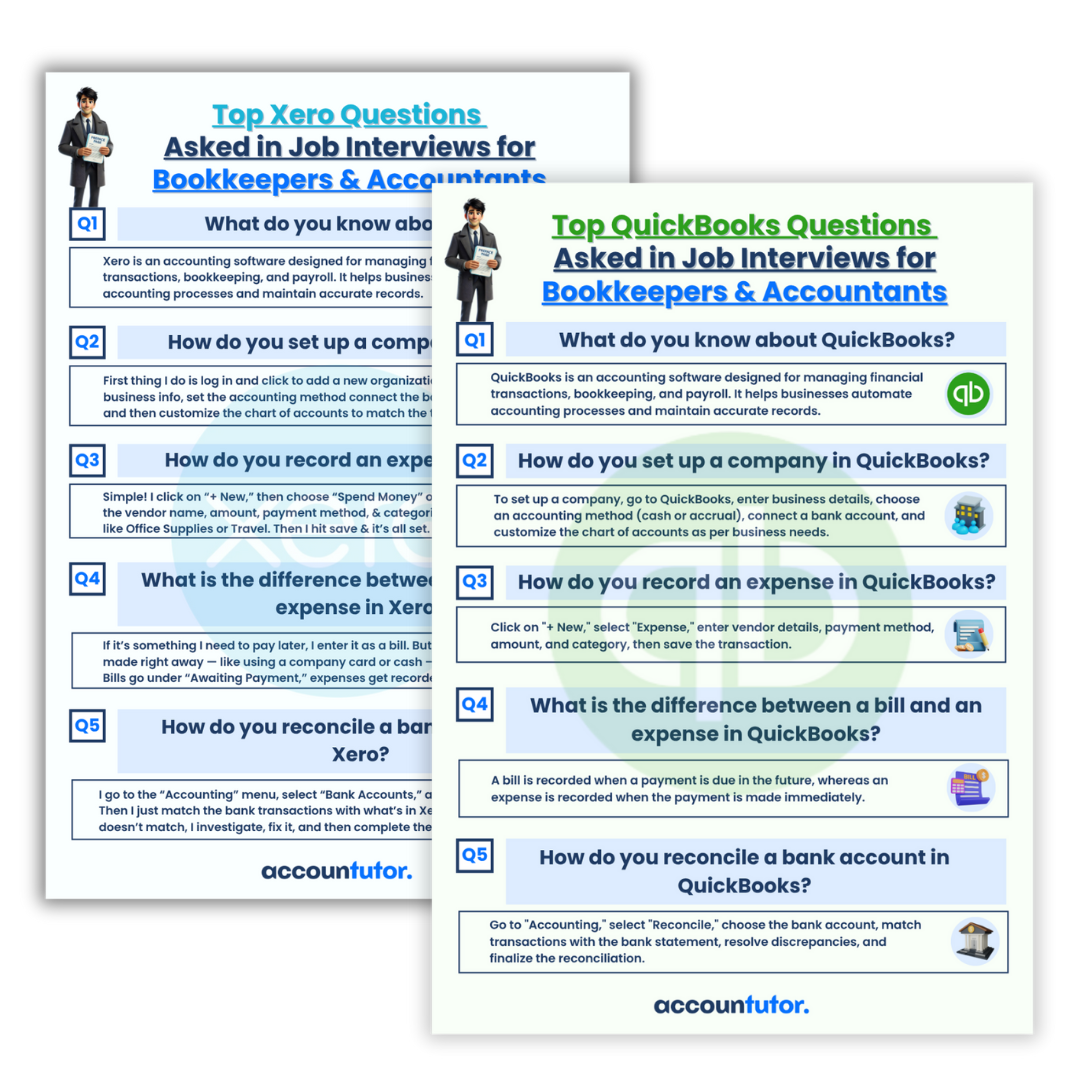
Additionally, preparing for job interviews is easier with practical resources. 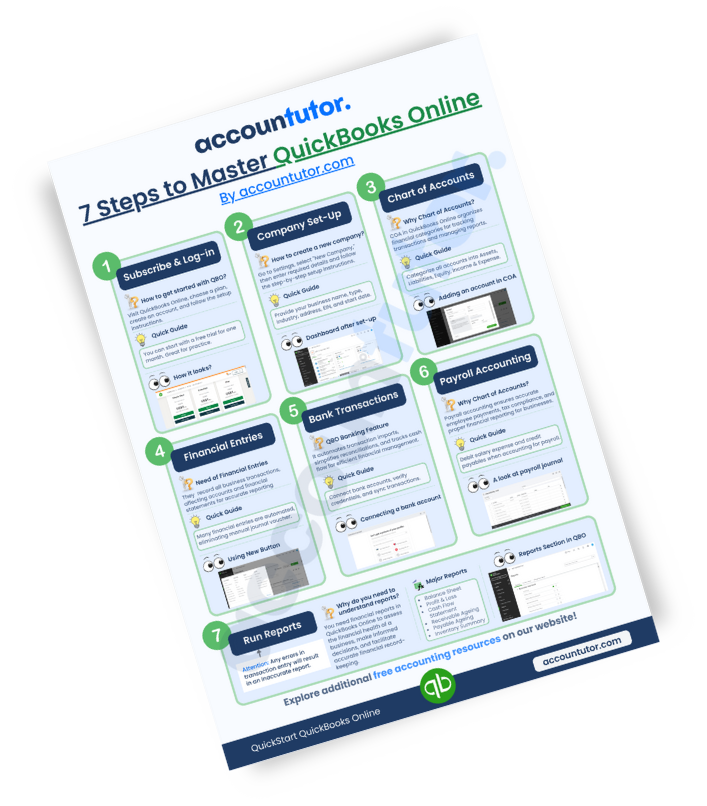
Frequently Asked Questions (FAQs)
Q1: Can an AI copilot replace a human bookkeeper?
No, an AI copilot like ChatGPT is a tool designed to assist and enhance a bookkeeper’s work, not replace it. It automates repetitive tasks, provides quick insights, and improves efficiency, allowing bookkeepers to focus on more strategic analysis and client relationships.
Q2: Is my data safe when using an AI copilot for financial tasks?
When using any AI tool, it’s crucial to understand its privacy policy and data handling practices. Always avoid sharing sensitive or confidential client information directly into public AI models. For critical data, consider secure, enterprise-level AI solutions or use the AI to draft general templates that you then populate with specific client data.
Q3: What accounting software works best with an AI copilot?
An AI copilot can integrate well with popular accounting software like QuickBooks Online and Xero. It can help you understand reports, explain transactions, or summarize data from these platforms by processing information you provide. The key is how you prompt the AI with data you extract from your software.
Q4: How can I learn to use an AI copilot effectively for bookkeeping?
Many online courses and resources are available to teach you how to craft effective prompts and leverage AI tools for accounting tasks. Look for programs that offer practical examples, step-by-step lessons, and insights into using AI with common accounting software to maximize your learning.
Ready to Embrace the Future of Bookkeeping?
If you’re prepared to make your work smarter and more efficient, exploring specialized training can be a game-changer. Courses on using ChatGPT for Bookkeepers and Accountants, alongside in-depth training for QuickBooks Online, Xero Accounting, and Bookkeeping Basics, can equip you with the skills needed for tomorrow’s financial landscape. Start your journey today and become the forward-thinking bookkeeper ready for any challenge.
Keywords: AI in accounting, AI copilot, accounts receivable, ChatGPT for bookkeepers, bookkeeping automation, financial efficiency, journal entry automation, client communication AI, QuickBooks AI, Xero AI